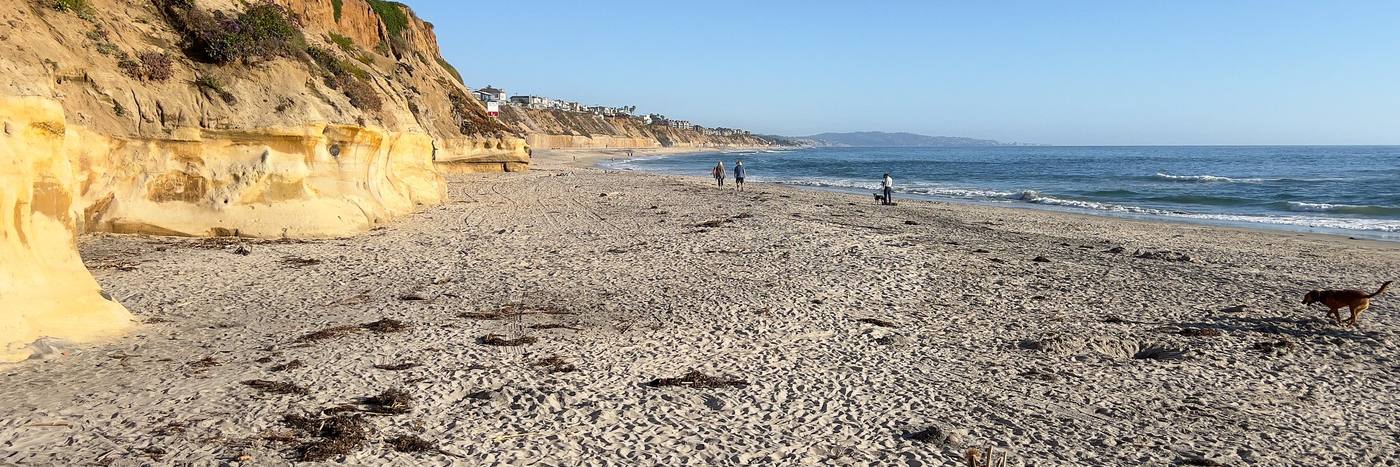
Computer slow, Wi-Fi down, printer stuck, a new phone to set up? PJ, a local in Solana Beach, comes to you in Encinitas, Carlsbad, Del Mar, Solana Beach and Cardiff, fixes it at your kitchen table, and shows you how so it stays fixed.
Home tech support in Del Mar, Encinitas and Carlsbad: what PJ fixes
- A slow or full computer: updates, storage, what starts up on its own.
- Wi-Fi and the router: dead spots, the password, the box that needs a restart every week.
- Printers and scanners that worked yesterday.
- Email and passwords: getting back in, recovery options, a password manager you'll actually use.
- A new phone or tablet: set up, photos and contacts moved over, the apps you need. A kid on it using AI companion apps? What California now requires, and what to check.
- Backups: photos and files saved somewhere safe before something breaks.
- TV, streaming and video calls with family.
- Scam cleanup: fake pop-ups, remote-access apps a caller installed, passwords changed, bank alerted. A call in a loved one's voice asking for money? The family safe word.
Printer says offline? Try this first on a Mac
- Click the Print Center icon in the Dock to open the printer's queue. If the printer is paused, click the button to resume printing.
- If another job is stuck with an error and blocking the queue, select that job and clear it.
- Still stuck: in System Settings, Printers & Scanners, add the printer again. If it doesn't show up, it may be turned off, or your Mac may be on a different Wi-Fi network now.
From Apple Support, Solve printing problems on Mac, checked October 11, 2026. Windows PC or still offline? Text PJ.
Free help first: the library
The County library runs free tech sessions at the branches near you. Try these first; if it needs more time or a house call, that's where PJ comes in.
- Tue Oct 13, 4:00pm: Tech Support, Solana Beach library
- Thu Oct 15, 10:00am: Tech Support, Solana Beach library
- Thu Oct 15, 2:00pm: iPhone for Seniors, Encinitas library
From the San Diego County Library events calendar, next two weeks. All library events.
No library card yet?
San Diego County residents can sign up online for an eCard and get immediate access to the eLibrary (e-books, audiobooks, magazines). To borrow physical items, turn it into a Standard Card at any branch: bring a picture ID and proof of your current address. Under 18 needs a parent or guardian. Questions: (858) 694-2415. (San Diego County Library)
Got a pop-up or a call saying your computer is infected?
Hang up, close it, and don't call the number. Real tech companies don't pop up or call asking you to pay or let them into your computer. If you already let someone in or paid, text PJ now and call your bank. Report it to the FTC at reportfraud.ftc.gov. More: senior scams, who to call.
The package
Tech help visit: $59 flat. The first hour at your home or a parent's. Most fixes fit in it; anything longer, you approve first.
Text PJ to book Pay $59 by Venmo
Paying first is fine: PJ texts you to set the time, and if you're outside the area he sends it back the same day. Solana Beach, Del Mar, Cardiff and Encinitas to start. No cut from any brand, seller or contractor.
What PJ doesn't do: hardware repair (a cracked screen, a dead battery, a board), data recovery from a dead drive, or business IT contracts. He'll tell you where to take it: computer and phone repair shops register with the state's Bureau of Household Goods and Services (how to check one). He can run the drop-off and pickup and do the backup and setup around it: iPhone and Mac repair near Encinitas. Setting up a robot vacuum or a Waymo for a parent? Robot setup, by brand · Waymo starter · can you buy a home robot yet?.
Need a human?
This page is built every morning from public data by SideGuy, run by PJ, a local in Solana Beach. If something looks off, or you want a hand with your plans, text PJ at 858-461-8054. A real person answers.
Local help, free to read: make your fix plan · senior benefits checkup · lower your SDG&E bill · Medicare Extra Help · every 2027 Medicare plan · is my medication recalled? · the next 90 days. Plans start as low as $25. Your parent lives here and you don't? The Parent Check-In Plan, $25 a month.
Questions people ask
Who can help with my computer at home in Encinitas or Carlsbad?
PJ, a local in Solana Beach, does tech help at home in Encinitas, Carlsbad, Del Mar, Solana Beach and Cardiff: slow computers, Wi-Fi, printers, email, new phones, backups and scam cleanup. $59 for the first hour.
Is there a local IT guy for tech support in Del Mar?
Yes. PJ, a local in Solana Beach, is the home IT guy for Del Mar, Solana Beach, Cardiff, Encinitas and Carlsbad: computers, Wi-Fi, printers, email, phones and scam cleanup, at your kitchen table. $59 for the first hour. He doesn't take business IT contracts or do hardware repair.
Is there tech support for seniors in North County San Diego?
Yes. PJ comes to the home, fixes the problem, and shows how so it stays fixed, including setting up a family member's phone to help from afar.
My computer says it's infected and to call a number. What do I do?
Close it and don't call. Real companies don't do that. If you already let someone in or paid, call your bank and change your passwords, then report it at reportfraud.ftc.gov.
Does PJ repair cracked screens or batteries?
No. That's hardware repair; PJ tells you where to take it and handles the setup afterward.
How do I set up an iPhone for an elderly parent?
Bigger text and fewer apps on the home screen, favorites for family calls, emergency contacts and Medical ID filled in, and Family Sharing so you can help from your own phone. PJ does it in one visit and leaves a one-page cheat sheet.
How do I get rid of pop-up ads on an Android phone?
They usually come from a free app showing ads, often a gallery, cleaner or flashlight app, or from an app allowed to display over other apps. Find the app, move any photos it locked, uninstall it, and turn off 'display over other apps' for anything you don't recognize. PJ does this at the kitchen table.
How do I move photos from an iPhone to a computer or an external drive?
Plug in with a cable and import them, or turn on the cloud backup and download from the computer. PJ sets up a backup that keeps doing it on its own.
Know someone who needs this?
Got a question about this? Ask PJ a question. A real person in Solana Beach texts you back.
Something changed here? Text PJ the fix: if it changes this page, you get $5. How it works.
Spotted something new around town? Text it in. What do you want to see here? Ask PJ for a page. No login, a real person reads it.
More free local tools: the North County toolkit.